Device selector (camera & microphone) and 3 other updates
New
Our main recording client now has a device selector on both desktop devices and mobile devices.
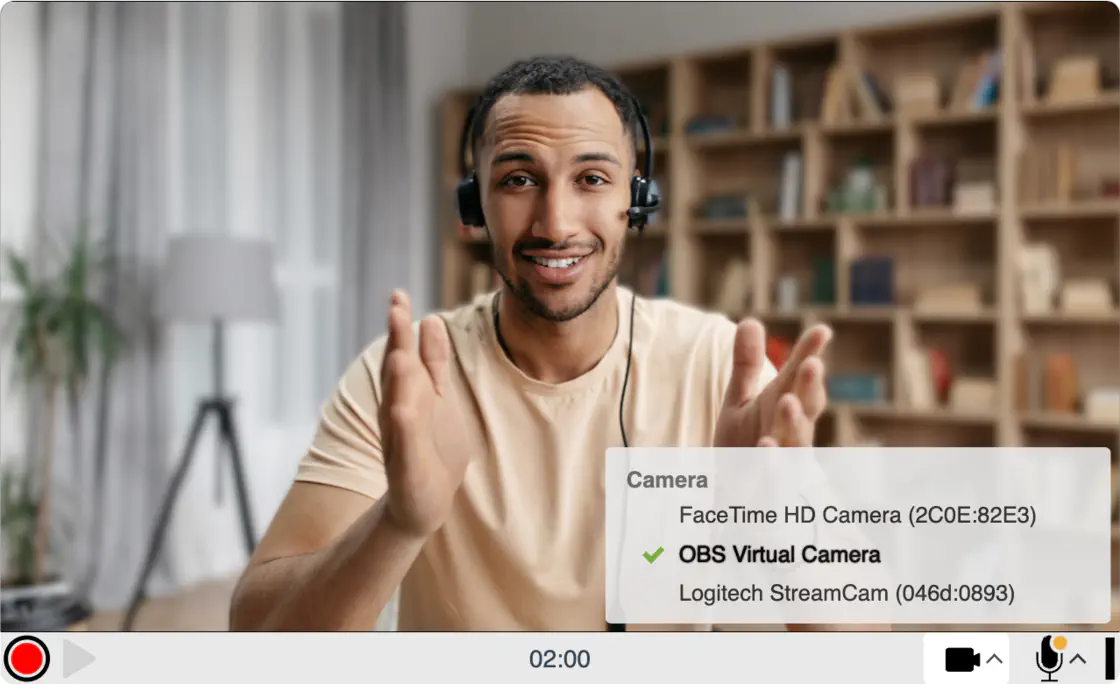
You can choose your desired camera and microphone from the list of available devices. It updates in real time with changes to the device list, it continues to show disconnected devices for 1 minute and there’s a loading animation for the delay between switching devices.
For more information check out the blog post.
Other updates:
- If there is no camera but there is a microphone, the recorder will switch to audio-only mode. This behavior was implemented a long time ago but now, if you connect a camera, the recorder will switch to video mode and if you remove the said camera, the recorder will switch back to audio-only mode.
- If there is no camera and no microphone, the recorder will display a proper message (“Connect a microphone or camera with microphone to record audio or video” instead of “You need a camera to record video”) and allow you to connect a camera or microphone, select it and record. Previously, the recorder would end up in a dead-end state.
- On Windows, if the camera is used by another app, the recording client will allow you to (connect and) select a different camera. Previously, the recorder would end up in a dead-end state.
2.0 embed code only.