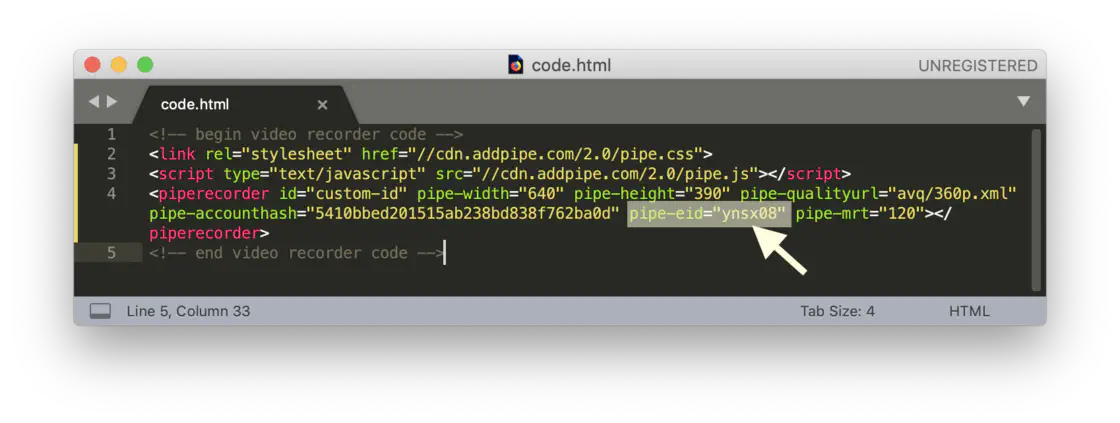
This change is fully backward compatible and does not impact older embed codes that use the numeric environment ID.
For better security, we advise you to update the value of eid with the new alphanumeric ID for the embed codes you already have in your websites or apps.
At this time the Pipe platform supports only IPv4, however, the CDN part of the platform had IPv6 enabled until now, which led to cases where a US user connected to the Internet through IPv6 would be directed to the EU region. Such connections defaulted to the EU region if the region setting on the Pipe account was set to Auto-detect.
To fix this issue, we’ve disabled IPv6 on the CDN.
FIX: added support for audio/amr to the mobile native client
NEW: moved all billing details and the cancel subscription button under the new Subscription section
NEW: we’re now also showing the sum for failed payment attempts
FIX: updates to the reconnection mechanism (fix when the user presses the STOP button while the recording client is disconnected
The HTML5 recorder is now used instead of the Flash one on localhost, 127.0.0.1 and ::1 on both Chrome 63+ and Firefox 50+ (localhost is a secure origin). JANUARY 2020 Update: this also applies to the Chromium based Edge 79+
We’re now defaulting to the 640x360 @ 30 fps resolution for the recorder in the Pipe account area
The webhook section has received some much-needed updates and functionality improvements:
We now show the list of events for which we’ve fired webhooks in the new webhook schedule section
You can now re-send each webhook event independently. We’re also showing the number of attempts to fire each scheduled webhook event.
You now have access to up to 30 days (PRO accounts) or 72 hours (Standard accounts) of data for both the webhook schedule and the webhook logs as opposed to the last 100 attempts as it was until now.
Search the schedule and logs by recording ID and custom data
Filter the logs and schedule by HTTP status (200 or Other)
Added pagination for navigating through large sets of events & logs
You can now deactivate and reactivate webhooks
We’ve added more sample data to the Simulator (Test) section and also brought the samples up to date
We’ve greatly improved how we’re showing the request & response headers and bodies
We accurately measure the response time for each attempt to send data to you
Quickly switch between webhooks with the drop down menu
Connection, SSL & HTTP response status now shown for each attempt to push data
You can read more about it in the blogpost or sign in and experience it directly.
You can now subscribe, cancel the paid subscription and then resubscribe with the same account as many times as you want. This will make it easier for accounts with periodical usage to use Pipe.
Aaand liftoff, we have successfully launched the Transcoding Engine!
The Transcoding engine gives you control over the output of the Pipe platform.
Whether you need to change the aspect ratio and resolution of your videos, have the snapshot taken in different sizes, keep copies of the original recordings or generate a filmstrip to quickly scan the contents of a video, the Trancoding Engine has your back :)
JANUARY 2020 Update: thse logs are now collected for the new Chromium based Edge 79+ too.
We’ve just launched a new Logs section that gives you access to all the successful and failed attempts to access the camera and microphone with getUserMedia().
This section is a very useful tool to help you give better customer support, get accurate analytics and look up user attempts to grant access to their camera and microphone.
We’ve implemented a catch all mechanism for all of the situations that were producing 0 byte recordings coming from the HTML5 desktop recorder.
Previously, when a 0 byte file was made, the user that made the recording had no idea.
Now the user experience is much better. After clicking the record button if no incoming data is detected:
For the first 2 seconds the message Waiting for data… is shown and the recording counter does not start, because nothing is actual recording.
After 2 seconds if there is still no incoming data, the message Device error: no audio or video data is shown and the UI is reset, so that you can retry to record.
The messages that we were showing when our HTML5 desktop recorder was requesting camera and microphone access needed an improvement.
We’ve updated the messages to be in line with the text used by the browsers.
Words like access and webcam were replaced by the keywords use and camera respectively.
When requesting access, we’ve added the domain name of the website in which Pipe is embeded in, for a better understanding of the context.
In case the user blocks the camera and/or microphone, an additional message is shown which informs the user how to unblock the devices.
Now when you record audio only, the messages refer just to the microphone device, in order to avoid any kind of confusion.
A new configuration option in the S3 bucket configuration page allows you to specify custom S3 endpoints.
Removed the “Connecting…” message that shows up in the HTML5 recorder after pressing the RECORD button because the recorder is already connected at that point
Reduced the incidence of duplicate entries in the db for the same recording
Fixed issue with videos from mobile not being rotated according to their rotation metadata. This affected videos with H.264 video and AAC audio as on such videos we did minimal processing.
Fixed an issue with the upload percentage going to 100% ahead of time and thus spending a lot of time at 100%
On mobile we now show only a “Record” label instead of “Record or select a video file” when selecting an existing recording is disabled
We’ve added the environment id to the body of the email sent on a new recording or when a push to storage fails for easier filtering in Gmail
We’ve stopped using HTML forms in the 2.0 and 1.0 embed code as they conflicted with existing forms when embedding Pipe in an online form like those produced by GravityForms
Solved issue with TypeError: jQuery(...).ajaxSubmit being thrown if inserting jQuery in the page after the 2.0 Pipe code
Added Access-Control-Allow-Headers: Origin, X-Requested-With to OPTION requests against precheck.php and the .xml language files
Better email validation on /signup and /invite
Turned off echoCancellation in our HTML5 recorder to make sure as little processing as possible is done on the audio
Over the last few weeks, we’ve kept an eye on the recordings being uploaded to our system that failed to pass through to the other side. Those rare corner cases where for some reason or another the transcoding process failed.
As a result, we’ve now tweaked our transcoding process to properly accept, transcode and report on:
.mod, .ogv and .qt files
streamed .flv and .webm files with audio or video tracks that start in the middle of the recording
pre-existing audio-only recordings uploaded through desktop and mobile
recordings with no rotation metadata uploaded from mobile devices.
To make sure our db is ready for 10x growth earlier this autumn we’ve done a deep dive into the entire functioning of our database.
We’ve updated the software with the latest patches, reviewed and improved our most demanding queries using the slow query log, reviewed our table indexes, backup strategy and procedures for restoring a backup and more.
As a result:
you should immediately see a noticeable decrease in the time required to load the recordings and logs pages with large data sets (thousands and tens of thousands of recordings)
we’re now getting the most out of the resources on the db server and it is ready to handle much higher peaks but also more sustained load
daily backups are faster and have close to no impact on performance
we have an improved db monitoring and alert system
our db size is smaller < removed any orphan rows and eliminated unnecessary columns
we’ve rehearsed our backup restoring procedures and improved them. We now feel a lot more confident in our ability to restore a complete backup if we will ever need to do that (hopefully not!).
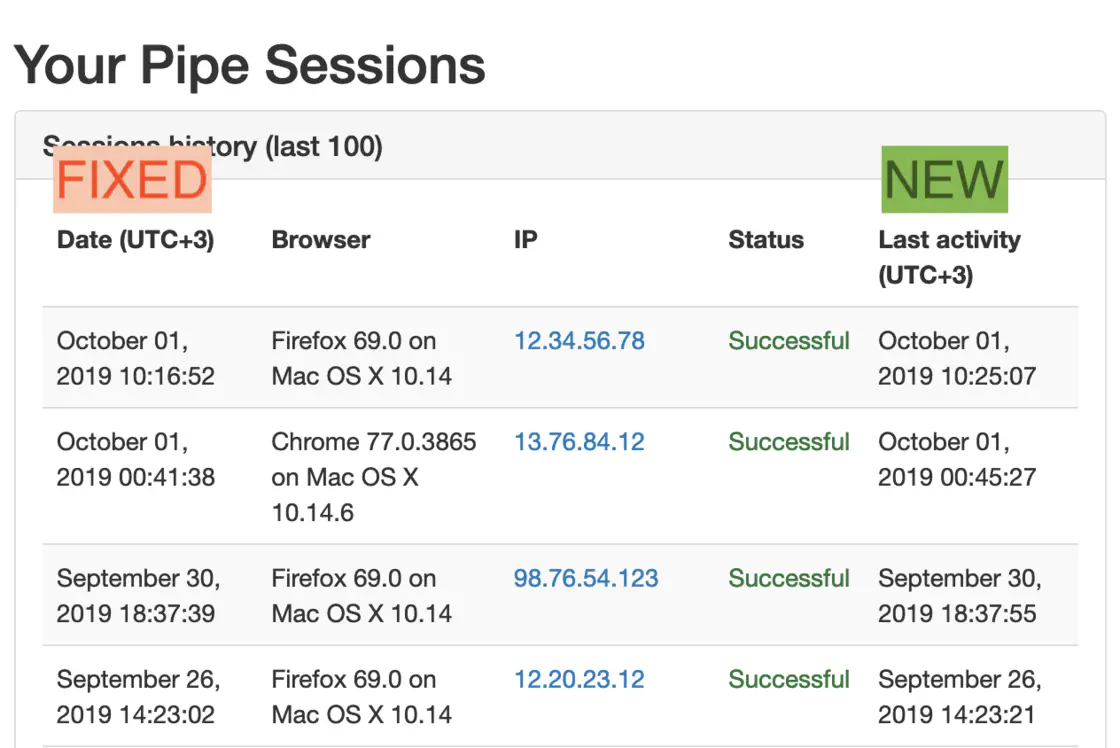
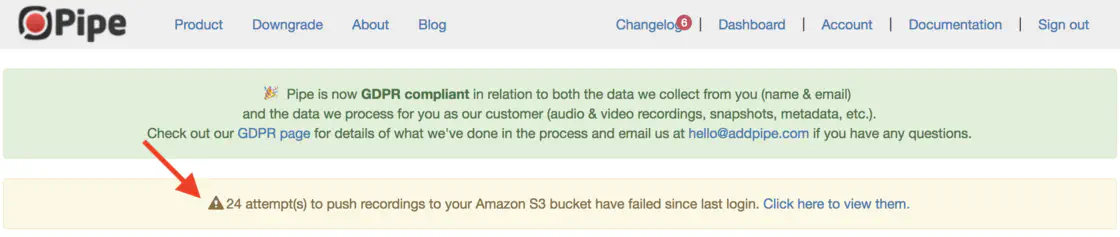
We took advantage of the new retry push to storage mechanism to show a small notification in the account area whenever you have unsuccessful push to storage attempts since your last log in.