Changelog

Every update to the Pipe platform: new features, improvements and fixes.

Way Better Storage Logs

New

From the Pipe account area you can now :

  • view all S3/(S)FTP/Dropbox logs on an account/environment instead of just the last 100
  • filter by recording id to view all the attempts to push a recording to storage
  • filter by type (successful or not) to help you identify problems especially when you’re processing thousands of recordings per day
  • jump from the list of recordings to the S3/(S)FTP/Dropbox logs for a particular recording
  • read about each error status code in the legend section at the bottom

The blog post has more information about why this change is great.

Better Information Around Audio and Video Codecs

New

We’ve updated the Pipe account area to show the following information in the list of recordings:

  • audio codec
  • audio channels
  • audio sample rate
  • video codec

The information is shown for both the source (recording streamed or uploaded by the user) and for the final .mp4 recording (after being transcoded by Pipe).

This information will make it easier to identify what kind of recordings one receives from the users, the initial audio and video codecs, the number of audio channels and sample rate (directly influences quality) and whether or not transcoding audio/video is needed.

More GDPR changes

New

Over the last 2 weeks, we’ve done a few changes in light of GDPR coming into effect tomorrow the 25th of May.

Changes that help you with your compliance:

  • Do Not Store Personal Metadata is a new option made to sit along the existing Do Not Store Files. When turned on we delete all personal metadata related to a recording as soon as we’re done processing that recording.
  • a new Data Processing Addendum to govern our relationship

Changes that touch on our GDPR compliance:

  • Security: the account password is needed when canceling a subscription or deleting an account
  • Security: we now collect the sign-up/sign-in IP and user agent. We store this information for up to 1 year after the trial account has expired or the account has been deleted.
  • Updated copy around account deletion and subscription canceling to make it more clear what happens when you cancel your subscription or delete your account.
  • Our Privacy Policy has been updated
  • We’ve switched our sign up form to add emails to our e-mail list based on explicit consent. We used to rely on legitimate interest and soft opt-in.
  • We’ve stopped collecting personal data from our reseller, Paddle, so we’re not showing the email to which the invoices will be sent. The invoices are linked directly from your account area though.
  • Changes in the way our website uses non-essential cookies

Last Webhook Change (4/4)

New

As promised on the 25th of April we’ve removed some data from our webhooks, data that’s unrelated to the event for which we’re sending the webhook.The documentation and test webhook data have been updated to reflect the changes.

This move will (also) enable us to roll out a new Do Not Store Personal Metadata feature similar to the Do Not Store Files feature.

Upload Progress Indicator

Improvement

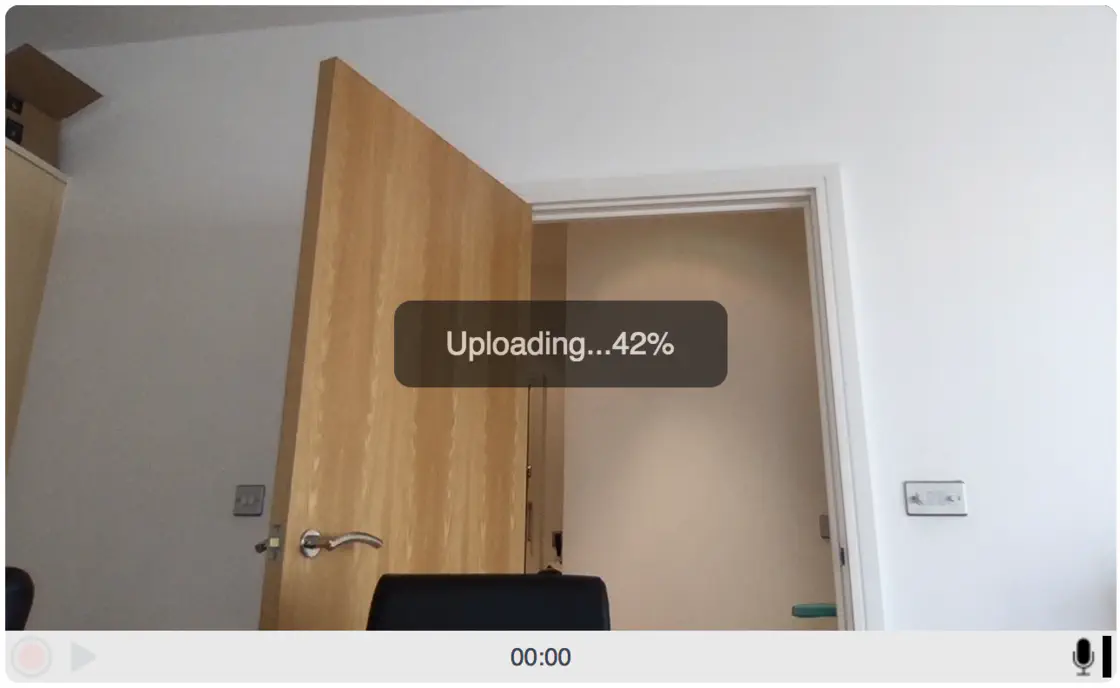
In a subtle move to make the HTML5 recorder a lot more intuitive on slow (upload) Internet connections we’ve managed to add a percentage indicator during video uploading:

Screen Shot 2018-04-05 at 14.29.58.png

Changes To Our Webhooks (3/4)

New
  1. We’ve introduced 2 brand new webhooks:
  • video_converted which triggers when the recording has finished converting
  • video_copied_pipe_s3 which triggers when the recording has finished copying to our S3 storage
  1. Along with these 2 new webhooks the old video_transcoded webhook is being deprecated (it will still fire if you have it setup currently, but you’ll not be able to add new ones)

  2. We’ve also added md5 and sha-1 checksums to all our storage webhooks:

  • video_copied_pipe_s3 (new)
  • video_copied_ftp
  • video_copied_s3
  • video_copied_dbox

The documentation has also been updated to reflect the changes and you can read more about the updates in the blogpost.

Personal Data Is More Obvious

New

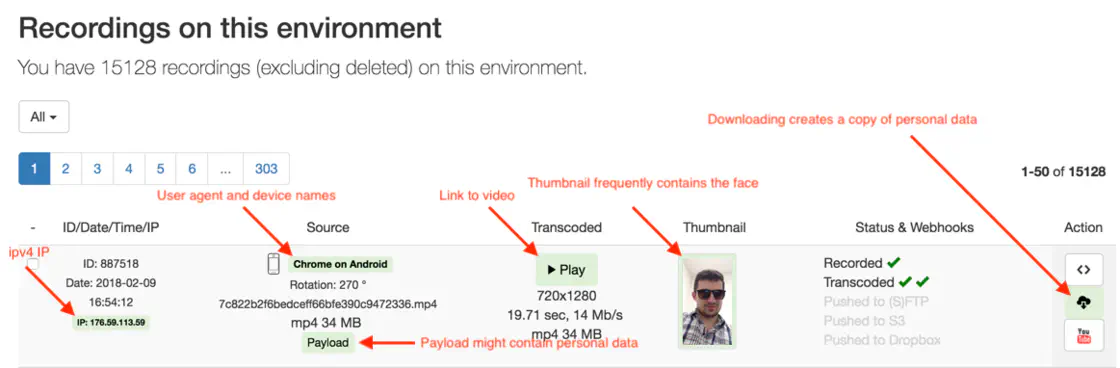
The list of videos from the Pipe account area will now highlight personal data collected by us as data processors for you (the data controllers).

This will help you, the data controller, with both awareness and GDPR compliance.

personal-data-shown-in-ui.png

You Can Now Delete Your Pipe Account

New

More #GDPR changes! Pipe accounts can now be deleted!

The process instantly deletes data related to:

1. account data:

  • name, email, Paddle email
  • all s3/sftp/dropbox credentials
  • all s3/sftp/dropbox & webhook logs
  • watermark and webhook entries
  • account environments and pages
  • sent invites & referral credits

2. recordings:

  • all personal metadata stored by us (IP, user agent, referrer, device names)
  • all recording files stored by us (audio, video, snapshot).*

*Deleting recording files stored by us might take up to 15 minutes to be removed as they enter a deletion queue.

3. email lists:

  • your name and email are removed from the email list responsible for sending welcome & trial expiration emails

What we do not delete:

  • your name and email are NOT removed from the News & Product Updates email list. You can remove yourself separately from the account area or by clicking the unsubscribe link in any email sent to that list.
  • sign up & sign in IPv4 and user agents will be deleted 1 year after the account is deleted

The delete option is available to all accounts. Accounts with an active paid subscription must cancel their subscription 1st.

After you delete your account you can sign up again with the same email.

More Data Transparency

Improvement

In light of GDPR coming into effect May 25th we’ve made a few changes to make all the data we collect (as processors in GDPR speak) for our clients more easily available to them (as controllers).

Updates to our REST API:

  • GET https://api.addpipe.com/video/all and GET https://api.addpipe.com/video/xyz will also return the public IPv4 of the device used to record the video.

Updates to our webhooks:

  • The video_recorded webhook will also POST info about the:
    • ip of the used device
    • camera name
    • microphone name
    • user agent

Updates to the Pipe account area:

  • the referer is now shown for each video (it was already avb. through the REST API and webhooks)

We’ve also revised our documentation to correctly reflect the data sent through webhooks and available through the REST API.

File Uploads From Desktop Browsers

New

We’ve rolled out the ability to upload audio and video files from desktop browsers.

We’re currently allowing users to upload the following video file formats:

  • mp4
  • mov
  • webm
  • 3gpp
  • 3gpp2
  • flv
  • wmv
  • mpeg

And the following audio formats:

  • aac
  • mp3
  • m4a
  • mp3
  • wav
  • ogg
  • wma
  • flac

You can turn on the feature (for new embed codes) from the Pipe account area or by manually adding dup:1 to your flashvars JS object in the existing embed codes.

The feature is now available in beta to all trial and PRO accounts

More entropy in file names + new EU S3 bucket

New

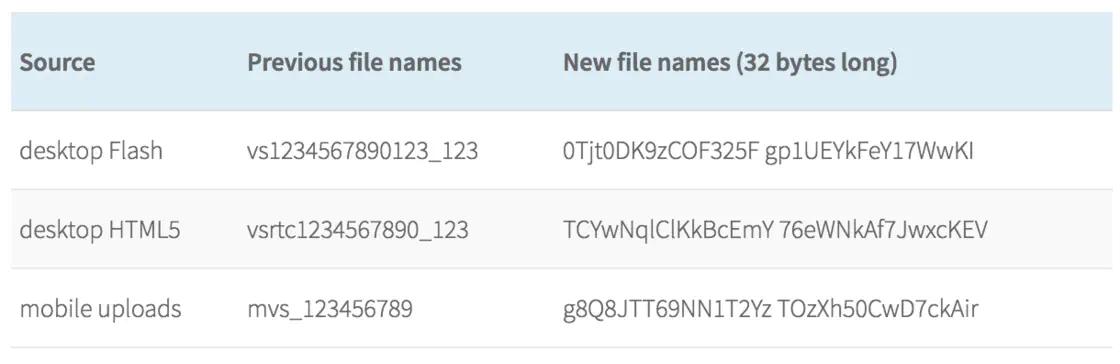
Starting today all video and snapshot file names will consist of a 32 character long string + extension.

We’ve also switched our storage to a new EU based S3 bucket (eu1-addpipe.s3.eu-central-1.amazonaws.com) located in Frankfurt. We’ve done this to consolidate our infrastructure in Europe as we prepare to open a new region in the US.

More details in the blog post .

More granular information in the client area

New

Thanks to recent backend changes in our platform we can now show the following information in the client area:

  • the list of videos currently being copied, converted or being pushed to our/your storage:

  • the videos which have been recovered by us as the result of an unexpected disconnection (OS/browser crash) are marked with an (R)

New location parameter makes it easy to calculate the final storage URL in our JS functions

New

Next year we’ll be adding video recording, processing and storage regions (EU, US, CA, etc.).

In light of this change we’ve updated the onSaveOk, onUploadDone and onVideoUploadSuccess functions (they’re part of our JS Events API on desktop and mobile) with a new location parameter which contains the subdomain of the S3 bucket where the final .mp4 video and .jpg snapshot will be stored by us.

It’s value is currently addpipevideos.s3.amazonaws.com . Once we introduce regions the new location parameter will take different values depending on the region.


FullHD, 2K and 4K Video Recording

New

Pipe can now correctly record, process and store FullHD, 2K and 4K UHD/DC videos.

Quick resolutions overview:

  • HD is 1280×720
  • FullHD is 1920×1080
  • 2K is 2048×1080
  • 4K UHD is 3840 × 2160
  • 4K DCI is 4096 × 2160

You can read more about it in the blogpost

Audio Only Recording

New

You asked for it, we listened, so here you go. Pipe can now be used to record audio only.

The new feature can easily be enabled directly from the Pipe account area from the Embed Recorder page or directly from the embed code by adding the new ao parameter to the flashvars object and setting this new parameter to 1.

For more information on audio only recording you can view the blogpost.

New Amazon S3 Region

Improvement

We’ve added support for us-east-2 Amazon S3 region

Better Error Messages

Improvement

None of us likes when those pesky errors show up, but they are there for a reason and they help us figure out what went wrong.

We are now detecting disconnect errors and webcam already in use errors in the HTML 5 recorder

Major Architectural Improvements 💪

Improvement

We finally got to push to production important architectural changes we’ve been planning and working on for a while.

Thanks to these changes:

  • We can now recover & process videos that were unsaved due to broken Internet connection while recording, browser or OS crash, etc.
  • The issue with some videos being processed only after 1 minute is fixed
  • Saving the videos in our database is more secure

Filter Videos In The Pipe Account

Improvement

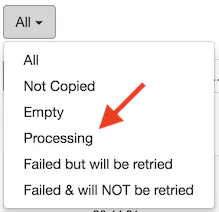
Lots of work went into our backend since the last spike in usage but there’s some front end news too, you can now filter the recorded videos in your Pipe account area:

  • All videos default
  • Not copied videos that were not yet copied from recording to transcoding server, rare occurrence
  • Empty videos that are 0kb in size
  • Queued and Processing non empty videos that were copied to our transcoding server an are queued for transcoding or during transcoding
  • Errors videos that completely failed to convert or completely failed to be pushed on your storage

Second Generation HTML 5 Client

Improvement

We’ve made some major updates to the HTML 5 client resulting in:

  • Much higher video quality
  • Consistent video quality from start to finish
  • High quality videos can now be recorded over slow internet connections.
  • Faster connection to the media server
  • Completely fixed issue with some recordings having 0 KB in size