Recording Client For Your Website or Web App
Pipe’s powerful recording client
supports audio, video & screen recording.
Actively maintained by our dedicated engineer
Backed up by resilient infrastructure
Navigates several browser bugs and inconsistencies
Used daily by thousands of end users
Thoroughly tested on various set-ups
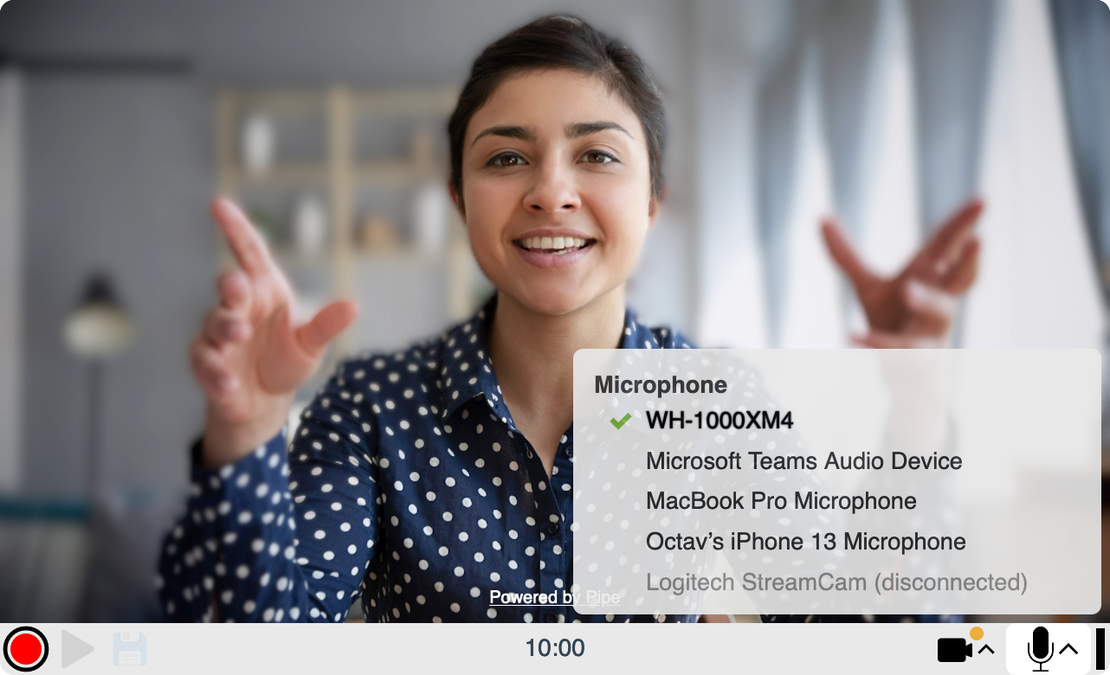
Powerful device selector updates in real time
Accessibility: adheres to WCAG AA
Navigates file formats and codecs for you
Small library: uses 4 HTTP requests and 80kB gzipped
Notable Features
Thoroughly Tested
The recording client is frequently tested across various browsers on macOS, Windows, iOS, and Android, using both real devices and virtualization.
Navigates Several Browser Bugs, Inconsistencies
Because we process millions of recordings per year from various browsers and devices we see every browser bug, browser inconsistencies or connection problem at scale. Our recording client has many workarounds and protections built in to help tackle:
Easy To Integrate
Our 2.0 embed code makes it easy to embed one or several recorders into your (single page) web app using HTML or JS.
Powerful Device Selector
We’ve worked a lot on the device selector available in our recording client. It updates the list as you connect or disconnect devices, it shows a small notification icon when changes happen, it keeps showing devices you’ve (mistakenly) disconnected and it does a bunch of other cool stuff (read more in the article).
Updates in real time
Shows disconnected devices
Accounts for the switching delay
Respects browser level decisions
Frequently Asked Questions
What browsers are supported?
The recording client will work in all major desktop & mobile browsers on Windows, macOS, Linux, iOS, and Android.
See browser requirements and compatibility →
How can I get started?
Sign up for a free 14-day trial, and you’ll have access to the dashboard, where you can generate your own audio recording widget. Use the embed code to add it to your website and start experimenting. All recordings made or uploaded through your widget will appear in your account dashboard.
Will my users need to download an app and/or open an account?
No. For your end users, audio, video and screen recording will work directly in the browser without creating a Pipe account.
How much does it cost to use the Pipe Platform to capture recordings on my website or app?
Plans start at $50/mo + sales tax/VAT. Check out our pricing page for more details.
Can I host pipe.js myself?
Yes, but we do not recommend it as we frequently push updates (improvements, bug fixes, reactions to browser changes). If you do, we recommend you frequently pull the latest pipe.js version. The versioning section of the documentation covers the topic in detail.
Is there a published list of changes or builds?
Yes, we publish non-trivial changes to the recording client at https://changelog.addpipe.com/ together with the build slug.
What if I need help integrating?
Integrating Pipe? Contact us directly - we’re happy to help. Building something beyond Pipe? For custom web and product development, reach out to us through the form available on the custom development page, and we’ll get back to you with one of our development partners.